
12.5.1 - DreamBooth: Personalizing Diffusion Models#
- Duration:
30-40 minutes (core) + 15-60 minutes (training, optional)
- Level:
Advanced
- Prerequisites:
Module 12.3.1 (DDPM Basics)
Overview#
DreamBooth revolutionizes how we personalize generative AI models [Ruiz2022]. While Module 12.3.1 taught us to generate generic African fabric patterns with DDPM, DreamBooth enables generating your specific fabric style in any context you can describe with text. The same U-Net architecture, the same noise prediction objective, but now with text conditioning and subject binding.
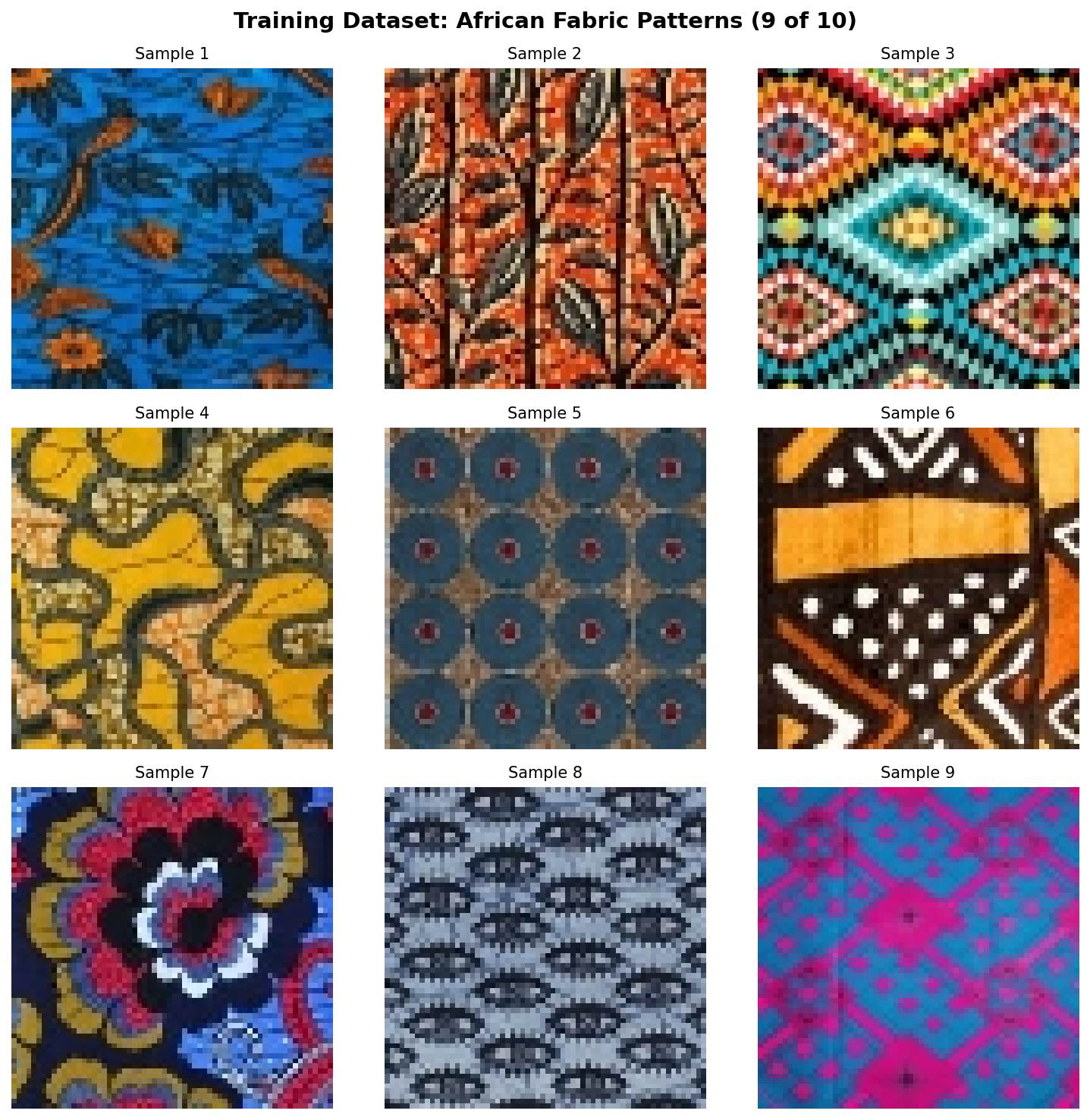
This exercise continues our exploration of the African fabric dataset, demonstrating how a pre-trained text-to-image model can learn to associate a unique token (“sks”) with specific fabric patterns from just 10 training images.
Learning Objectives#
By the end of this exercise, you will:
Understand subject-driven fine-tuning: How DreamBooth binds a unique token to a specific visual concept
Implement prior preservation loss: Prevent catastrophic forgetting while learning new concepts
Compare training approaches: Textual Inversion (lightweight) vs LoRA (recommended)
Generate personalized subjects in diverse contexts: Apply your learned fabric style to fashion, decor, and art
Quick Start#
Before diving into theory, let us see what personalized diffusion models can generate.
Pre-trained Model Required
Exercises 1 and 2 require trained LoRA weights. Either:
Complete Exercise 3 first to train your own model (15-60 minutes), OR
Download pre-trained weights using one of these methods:
Option A: GitHub CLI (if installed)
cd content/Module_12_generative_ai_models/12.5_personalization_efficiency/12.5.1_dreambooth_personalization
mkdir -p models/fabric_lora
gh release download v1.0.0-dreambooth-lora -D models/fabric_lora/
Option B: Direct Download
Visit: burakkagann/Pixels2GenAI
Download both
adapter_model.safetensors(~3 MB) andadapter_config.jsonPlace both files in the
models/fabric_lora/folder
Verify installation:
ls models/fabric_lora/adapter_model.safetensors models/fabric_lora/adapter_config.json
Once you have trained or downloaded weights, generate personalized fabric patterns:
from diffusers import StableDiffusionPipeline
import torch

# Load base model with LoRA weights
pipe = StableDiffusionPipeline.from_pretrained(
    "runwayml/stable-diffusion-v1-5",
    torch_dtype=torch.float16
).to("cuda")
pipe.load_lora_weights("models/fabric_lora")

# Generate with the learned subject token
prompt = "a beautiful dress made of sks african fabric pattern, fashion photography"
image = pipe(prompt, guidance_scale=7.5).images[0]
image.save("personalized_fabric.png")
The magic token “sks” now represents your specific African fabric style. Any prompt containing “sks african fabric pattern” will generate images with the learned characteristics.
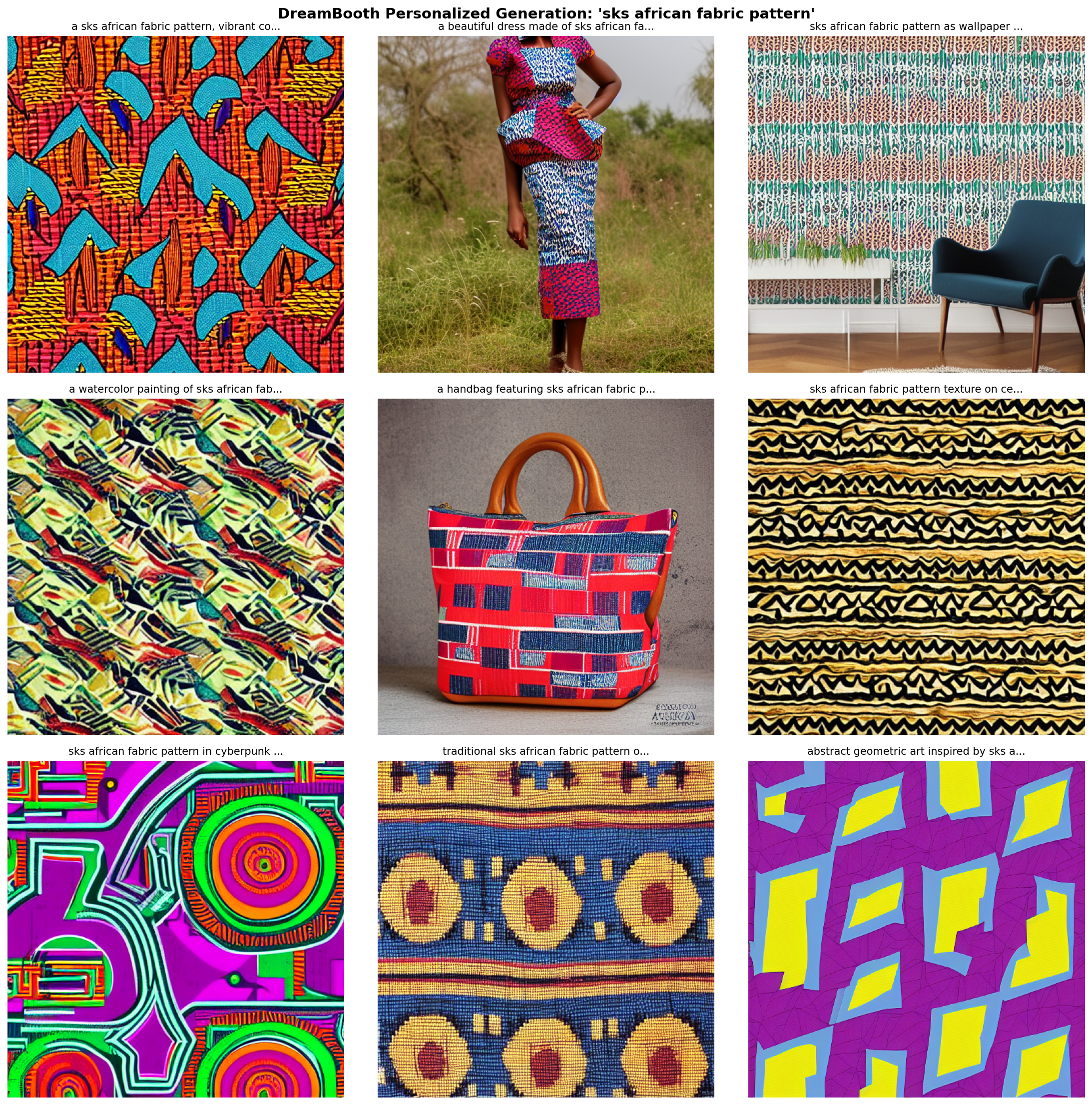
Personalized fabric in nine different contexts.#
Core Concepts#
Concept 1: The Personalization Problem#
Why can’t we just prompt “my african fabric pattern” to get our specific design?
Pre-trained text-to-image models like Stable Diffusion understand general concepts (“african fabric”, “geometric pattern”) but cannot generate YOUR specific fabric style. The model has never seen your unique patterns and has no way to reference them.
DreamBooth solves this by:
Teaching the model a new “word” (token) that represents your subject
Fine-tuning the model so this token triggers generation of your specific visual concept
Using prior preservation to maintain the model’s general capabilities
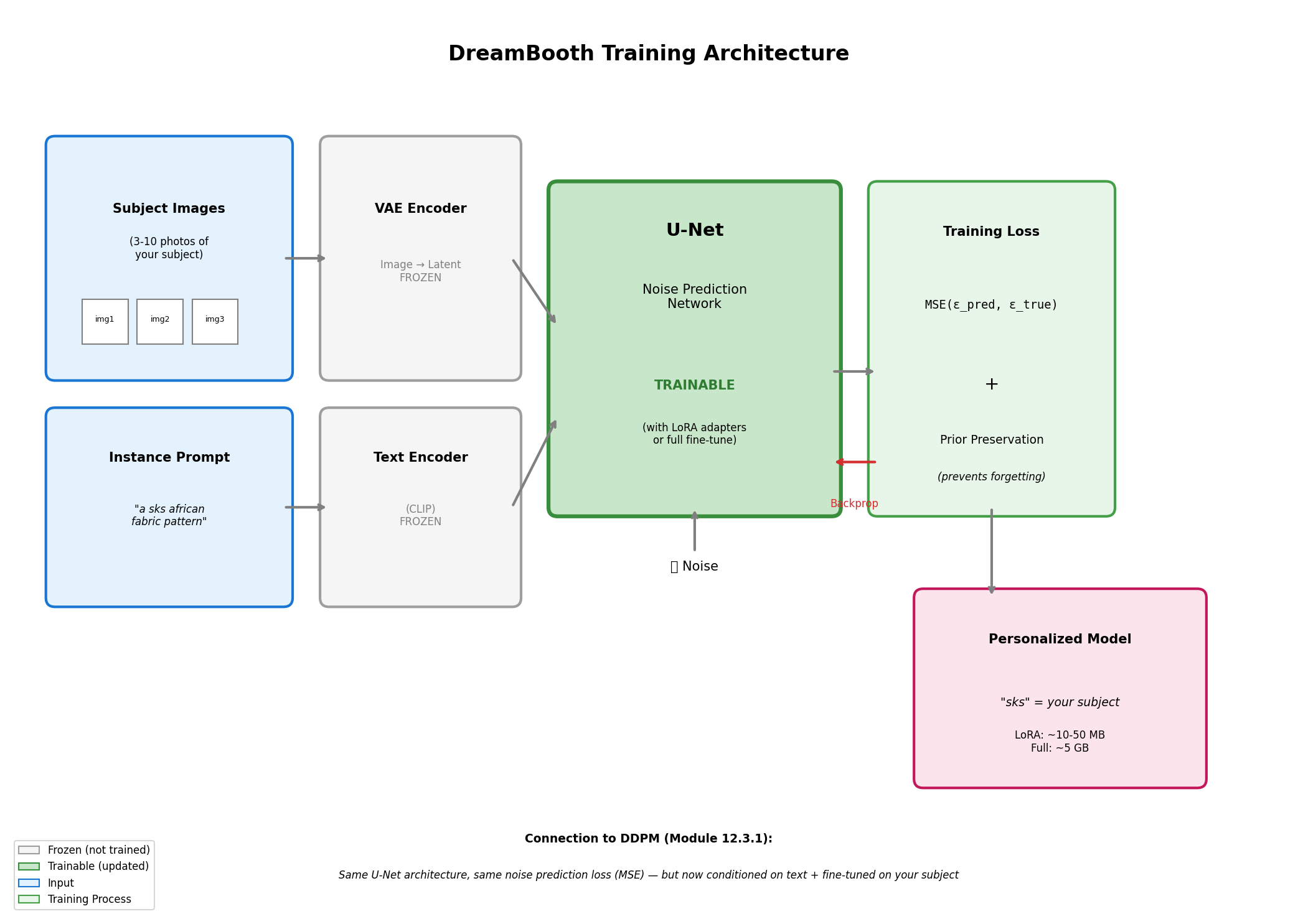
Unique token binding enables subject-specific generation. Diagram generated with Claude - Opus 4.5.#
Did You Know?
The token “sks” was chosen by the original DreamBooth authors because it is rare in the training data of CLIP (the text encoder) [Ruiz2022]. Using a rare token prevents interference with existing concepts. Other common choices include “ohwx”, “zwx”, and “[V]”.
Concept 2: Connection to DDPM Basics (Module 12.3.1)#
DreamBooth builds directly on the DDPM concepts you learned in Module 12.3.1:
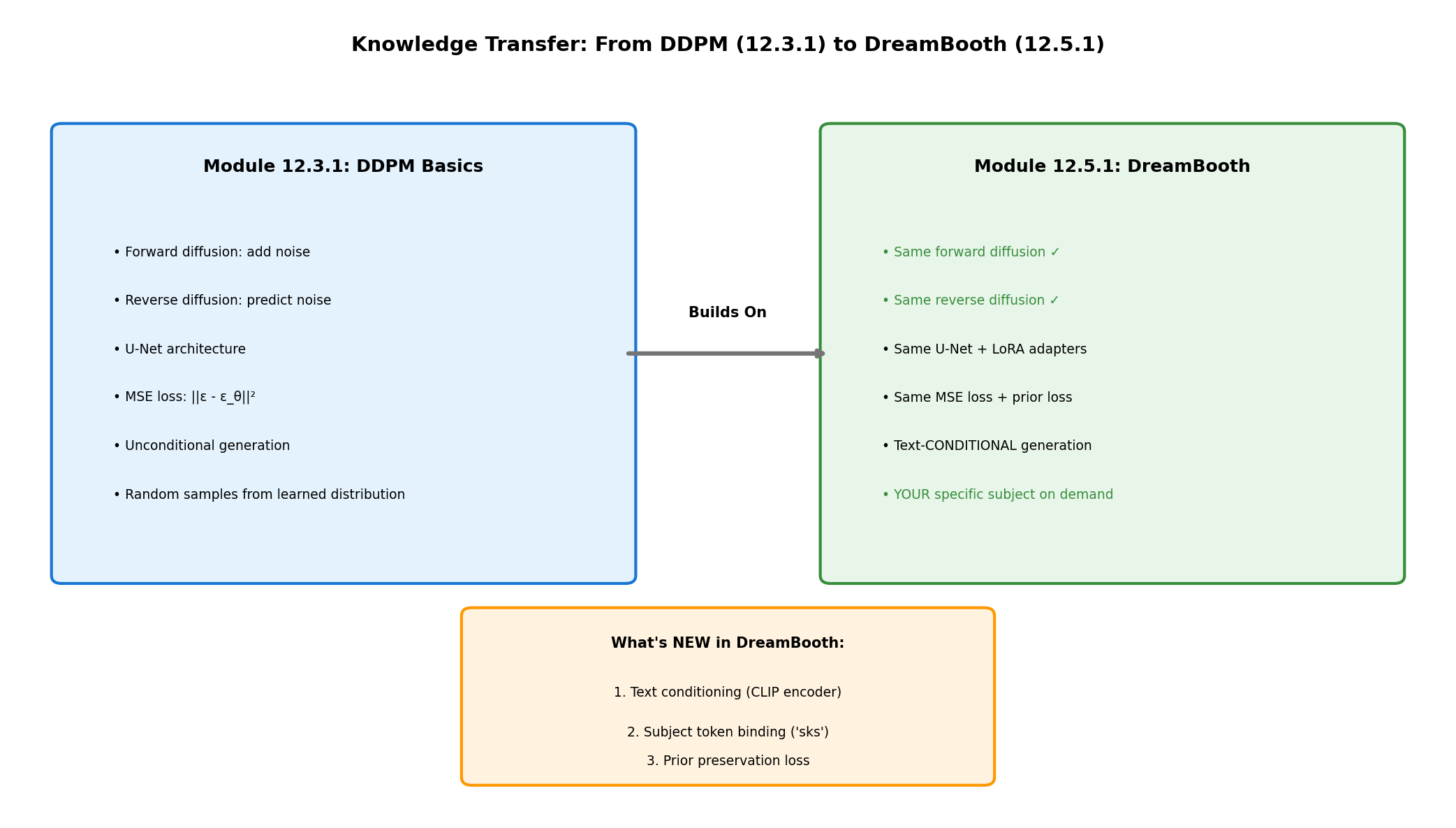
DDPM to DreamBooth knowledge transfer. Diagram generated with Claude - Opus 4.5.#
What stays the same:
U-Net architecture: Same encoder-decoder with skip connections
Noise prediction objective: Still predicting \(\epsilon\) at each timestep
Forward diffusion: Same noise schedule (\(\sqrt{\bar{\alpha}_t} x_0 + \sqrt{1-\bar{\alpha}_t} \epsilon\))
Training loss: MSE between predicted and actual noise
What’s new:
Text conditioning: CLIP encodes the prompt, cross-attention injects it into U-Net
Subject token binding: The token “sks” becomes associated with your images
Prior preservation: Additional loss term prevents forgetting general concepts
The training objective becomes:
where \(c\) is the text conditioning (CLIP embedding of the prompt) and \(L_{prior}\) is the prior preservation loss.
Concept 3: Prior Preservation Loss#
Without prior preservation, fine-tuning on just 10 fabric images would cause catastrophic forgetting: the model loses its ability to generate other concepts.
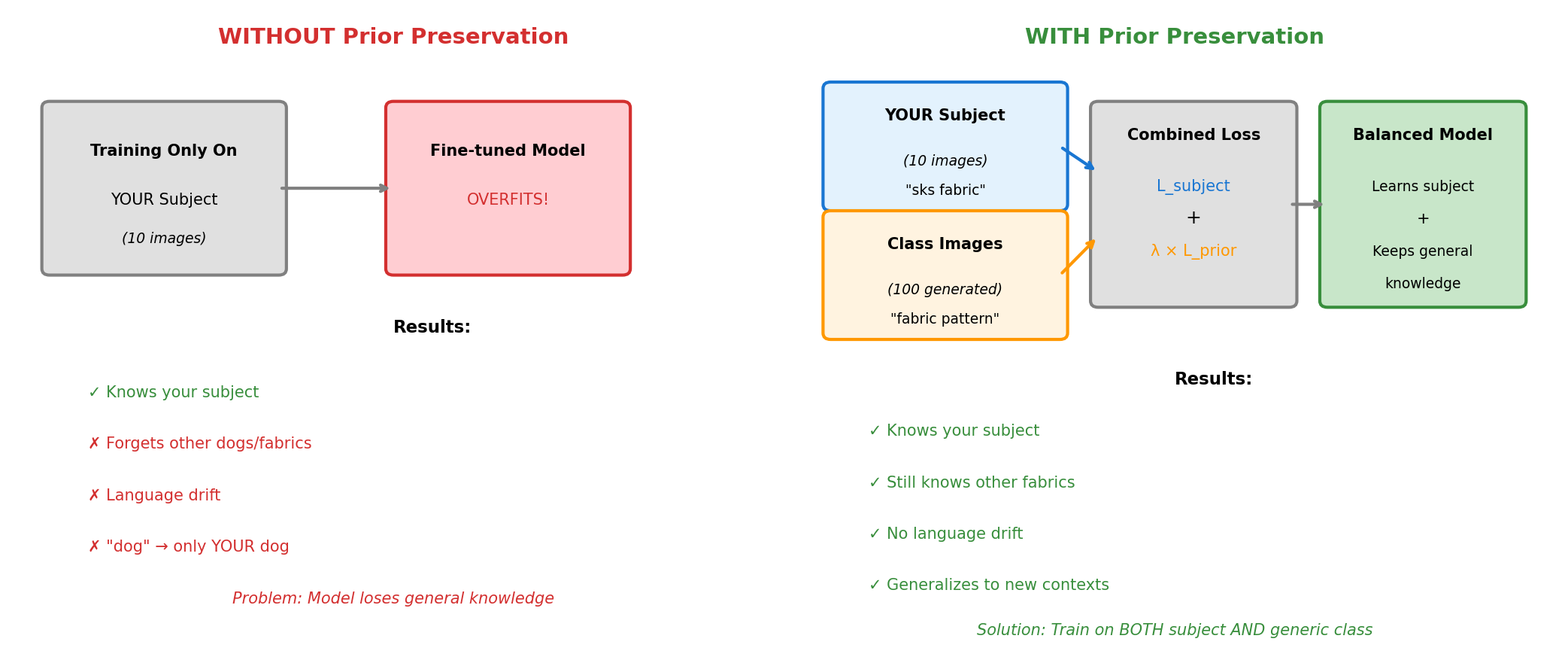
Prior preservation prevents catastrophic forgetting. Diagram generated with Claude - Opus 4.5.#
How it works:
Generate 100-200 images using the class prompt (“a fabric pattern”) with the original model
During training, mix your subject images with these generated class images
The model learns your specific subject while being reminded of general “fabric patterns”
# Prior preservation loss computation
# Instance loss: Learn the specific subject
instance_loss = F.mse_loss(predicted_noise, noise)

# Prior loss: Remember general class
prior_loss = F.mse_loss(predicted_noise_prior, noise_prior)

# Combined loss
total_loss = instance_loss + prior_preservation_weight * prior_loss
Concept 4: Textual Inversion vs LoRA#
Two efficient fine-tuning approaches exist, each with trade-offs:
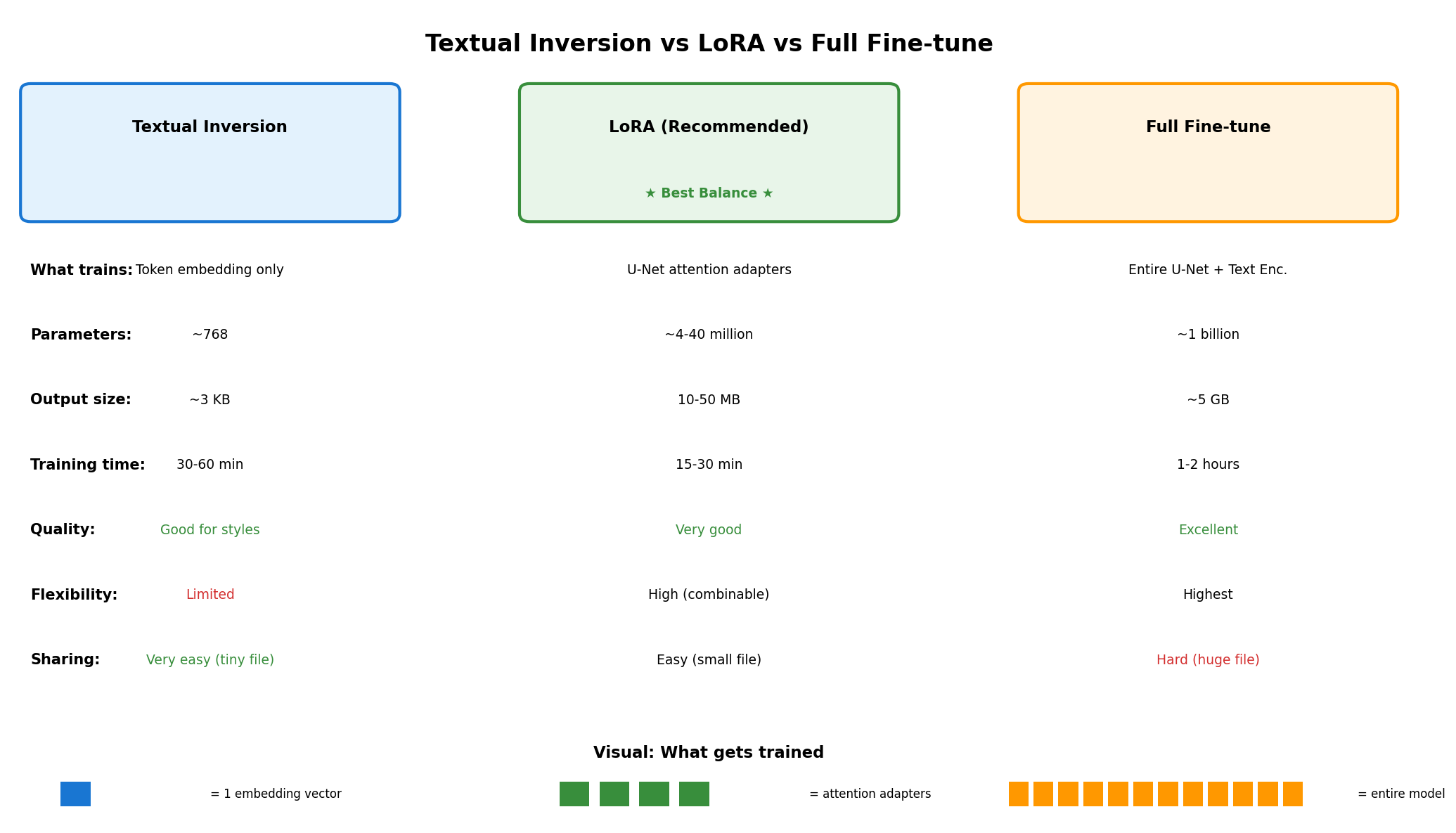
TI vs LoRA architecture comparison. Diagram generated with Claude - Opus 4.5.#
Textual Inversion [Gal2022]
Trains only the text embedding for a new token
Output size: ~3 KB
Training time: 30-60 minutes
Best for: Styles, artistic concepts
Limitation: Cannot capture complex subjects well
# Textual Inversion: Only the embedding is trained
# Model weights are frozen
placeholder_token = "<african-fabric>"
initializer_token = "pattern"
# Training updates ONLY the embedding for placeholder_token
LoRA (Low-Rank Adaptation) [Hu2021]
Trains small adapter matrices in attention layers
Output size: 10-50 MB
Training time: 15-30 minutes
Best for: Subjects, objects, specific visual features
Advantage: Combinable with other LoRAs
# LoRA: Small matrices A and B adapt attention weights
# Original weight W remains frozen
# Adapted output: Wx + (AB)x where rank(AB) << rank(W)
Aspect |
Textual Inversion |
LoRA (Recommended) |
|---|---|---|
What trains |
Token embedding only |
U-Net attention adapters |
Output size |
~3 KB |
~10-50 MB |
Training time |
30-60 minutes |
15-30 minutes |
Quality |
Good for styles |
Better for subjects |
Flexibility |
Limited |
Combinable with other LoRAs |
Concept 5: Classifier-Free Guidance#
During generation, guidance scale controls how strongly the model follows your prompt:
where \(s\) is the guidance scale (typically 7.5):
s = 1: No guidance, unconditional generation
s = 7.5: Default, good balance
s > 15: Very strict adherence, may look artificial
This is why Exercise 2 explores guidance scale effects on your personalized outputs.
Hands-On Exercises#
Exercise 1: Generate with Personalized Model (Execute)#
Download exercise1_generate.py
Goal: Generate African fabric patterns in various contexts using a personalized DreamBooth model.
Prerequisites: Trained LoRA weights at models/fabric_lora/
python exercise1_generate.py
What to observe:
The “sks” token triggers your specific fabric style
The pattern adapts to different contexts (dress, wallpaper, art)
Compare with generic “african fabric” prompt (without “sks”)
Nine generated fabric patterns in varied contexts.#
Reflection Questions
Connection to DDPM: How does text conditioning change what the model generates compared to unconditional DDPM from Module 12.3.1?
Token importance: What happens if you remove “sks” from the prompt? Try generating “a dress made of african fabric pattern” without the special token.
Generalization: The model was trained on only 10 fabric images. How can it generate the pattern on a dress it never saw during training?
Exercise 2: Explore Generation Parameters (Modify)#
Goal: Understand how different parameters affect personalized generation.
python exercise2_explore.py
This script runs three explorations:
Part A: Guidance Scale Comparison
Generates the same prompt with guidance scales 1.5, 3.0, 7.5, 12.0, and 20.0.
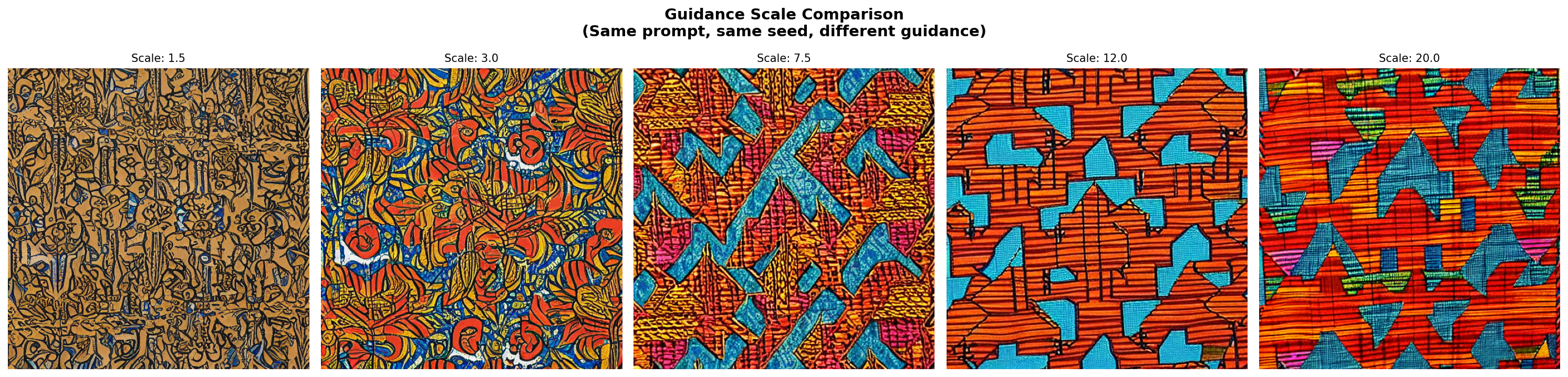
Guidance scale comparison: 1.5 to 20.0.#
Tip
Try this: Test guidance values between 5.0-12.0 to find your optimal balance.
Part B: Style Transfer Grid
Your learned fabric pattern rendered in 9 artistic styles.
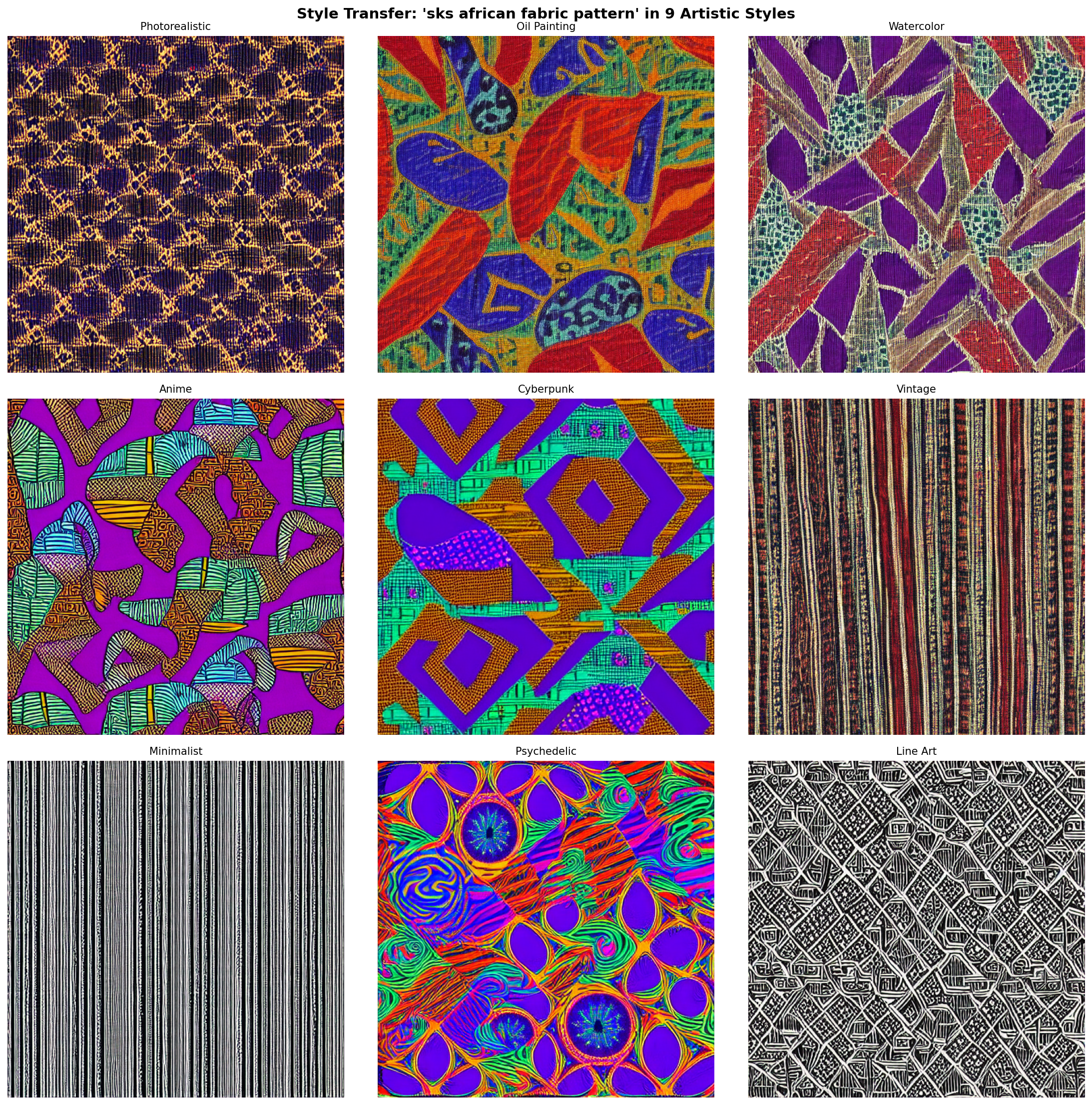
Learned pattern applied to nine artistic styles.#
Tip
Try this: Compare short prompts (“sks fabric”) vs detailed prompts, or add negative_prompt="blurry, distorted" for improved quality.
Part C: Seed Variation Study
Same prompt with different random seeds to assess diversity vs consistency.
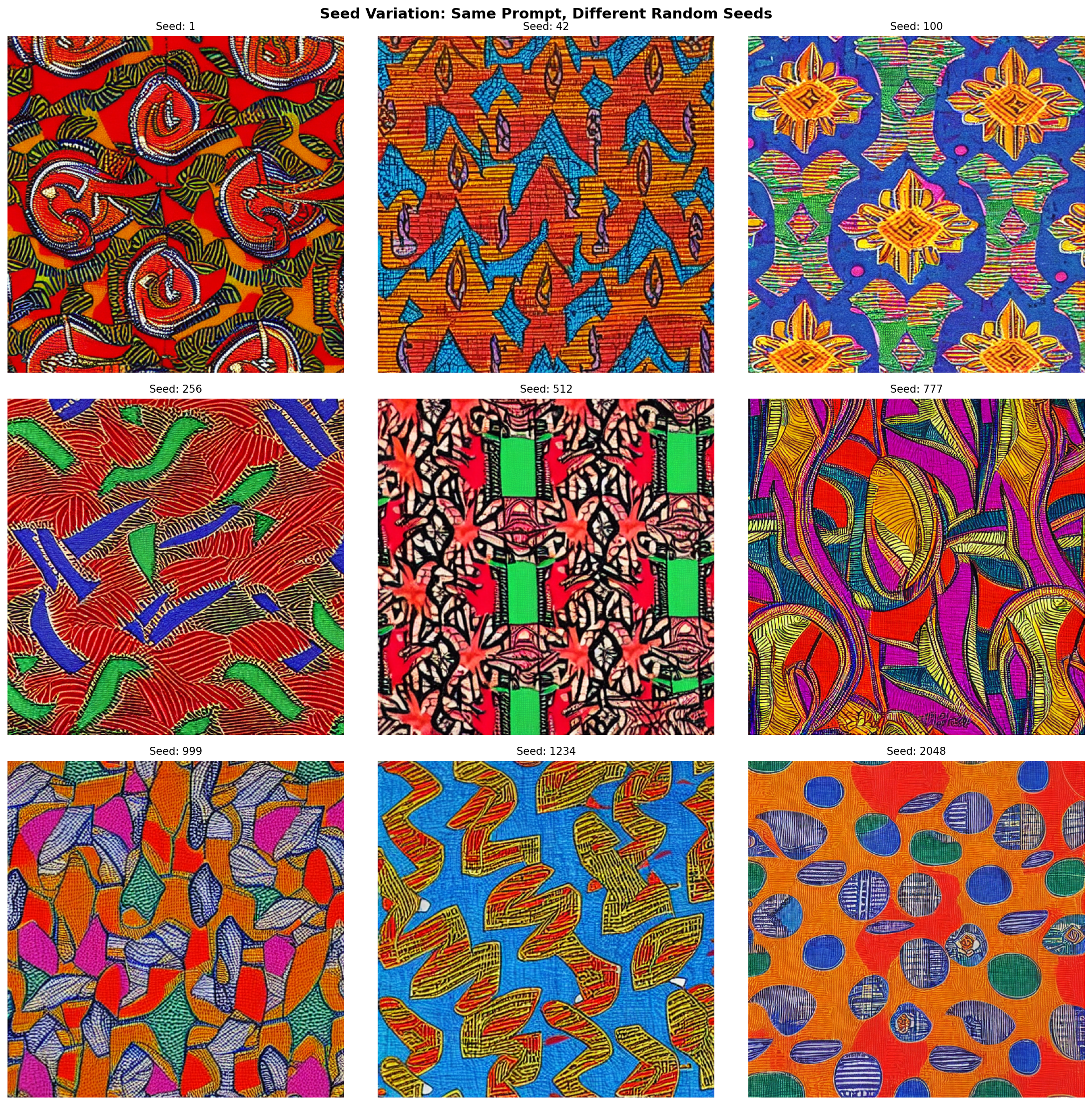
Seed variation study showing consistency.#
Tip
Try this: Put your fabric on unusual objects (spacecraft, ancient temple, underwater) to explore context boundaries.
Exercise 3: Train Your Own Personalized Model (Create)#
Goal: Train a DreamBooth model from scratch and understand the full training pipeline.
Two training approaches are provided. LoRA is recommended for better quality and faster training.
Option A: Textual Inversion (Lightweight)
Download exercise3a_train_textual_inversion.py
Trains only the token embedding
Time: 30-60 minutes
Output: ~3 KB embedding file
python exercise3a_train_textual_inversion.py
Best for: Artistic styles and abstract concepts where fine detail is less critical.
Option B: LoRA Training (Recommended)
Download exercise3b_train_lora.py
Trains attention layer adapters
Time: 15-30 minutes on RTX GPU
Output: ~10-50 MB LoRA weights
python exercise3b_train_lora.py
Best for: Specific subjects and patterns where detail preservation matters.
Step 1: Prepare Training Images
Copy 10 diverse fabric images from Module 12.1.2’s dataset:
# Copy selected images to training_images/ folder
# Choose images with varied colors and patterns
Both scripts provide:
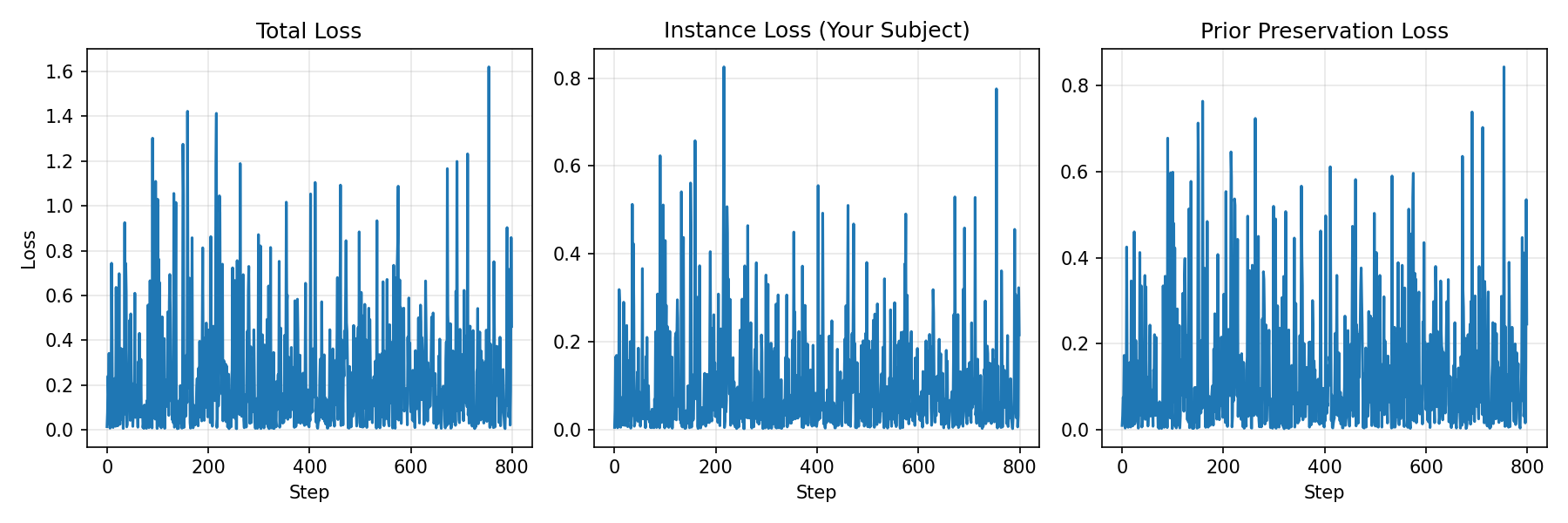
Progress visualization every 100 (LoRA) or 500 (TI) steps
Sample generation to monitor quality
Loss curves for training dynamics
Step 2: Training Configuration
LoRA Configuration:
Base Model |
stable-diffusion-v1-5 |
Instance Prompt |
“a sks african fabric pattern” |
Class Prompt |
“a fabric pattern” |
LoRA Rank |
4 |
Learning Rate |
1e-4 |
Training Steps |
800 |
Prior Preservation |
Enabled (100 class images) |
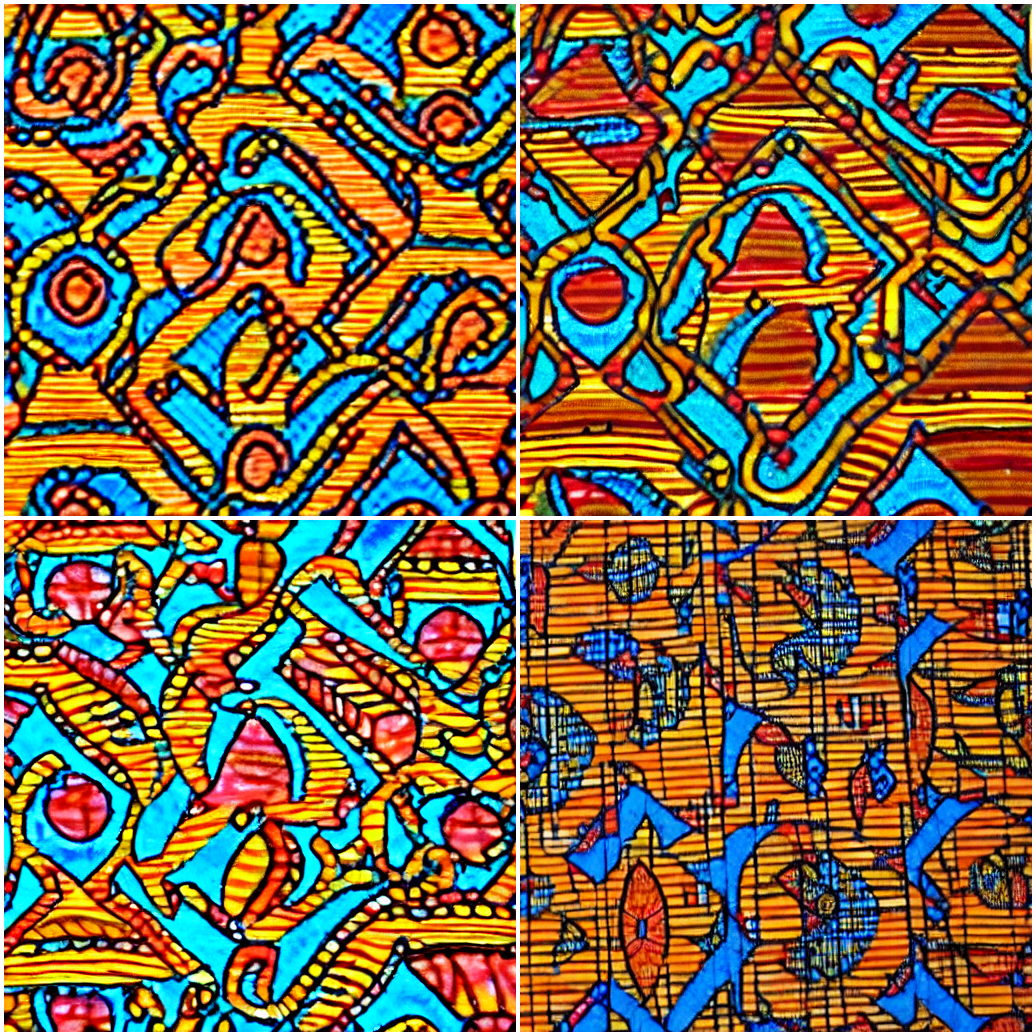
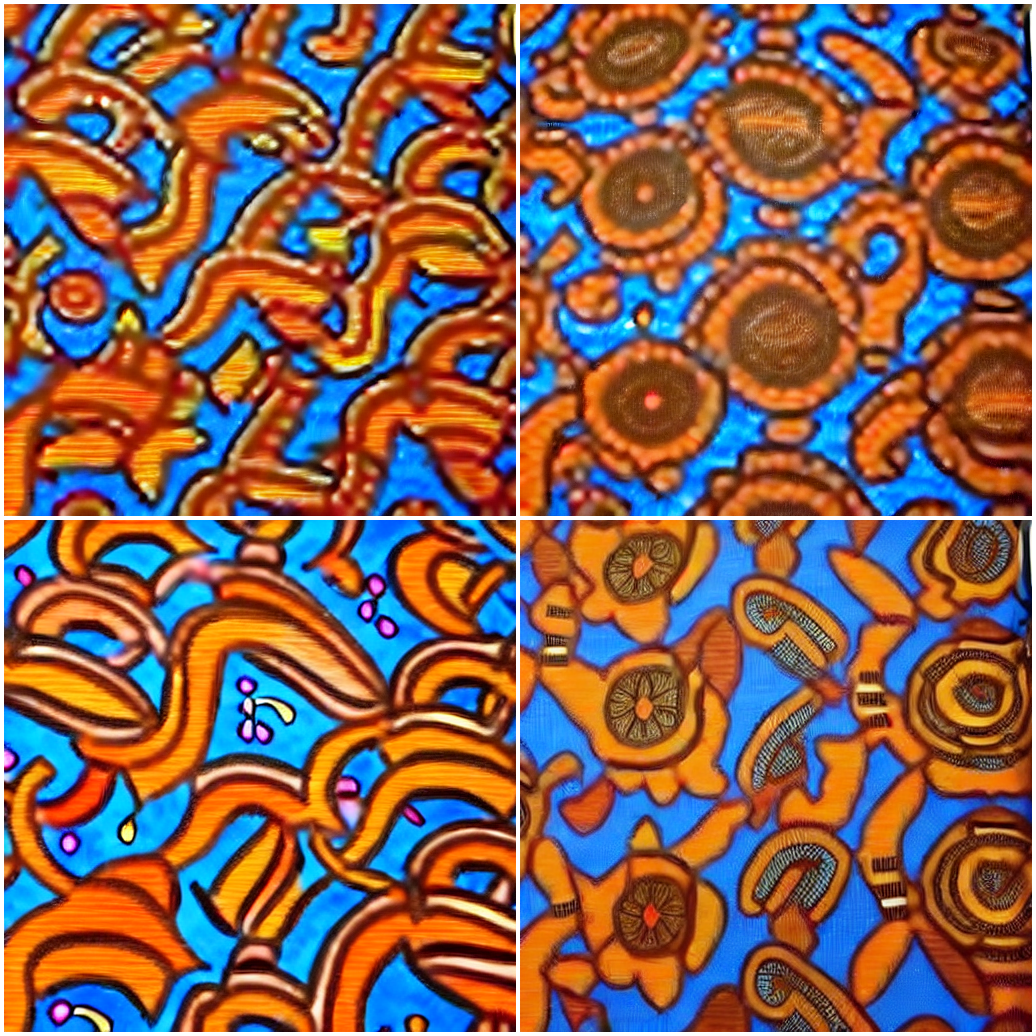
Step 3: Monitor Training Progress
Step 4: Compare TI vs LoRA Results
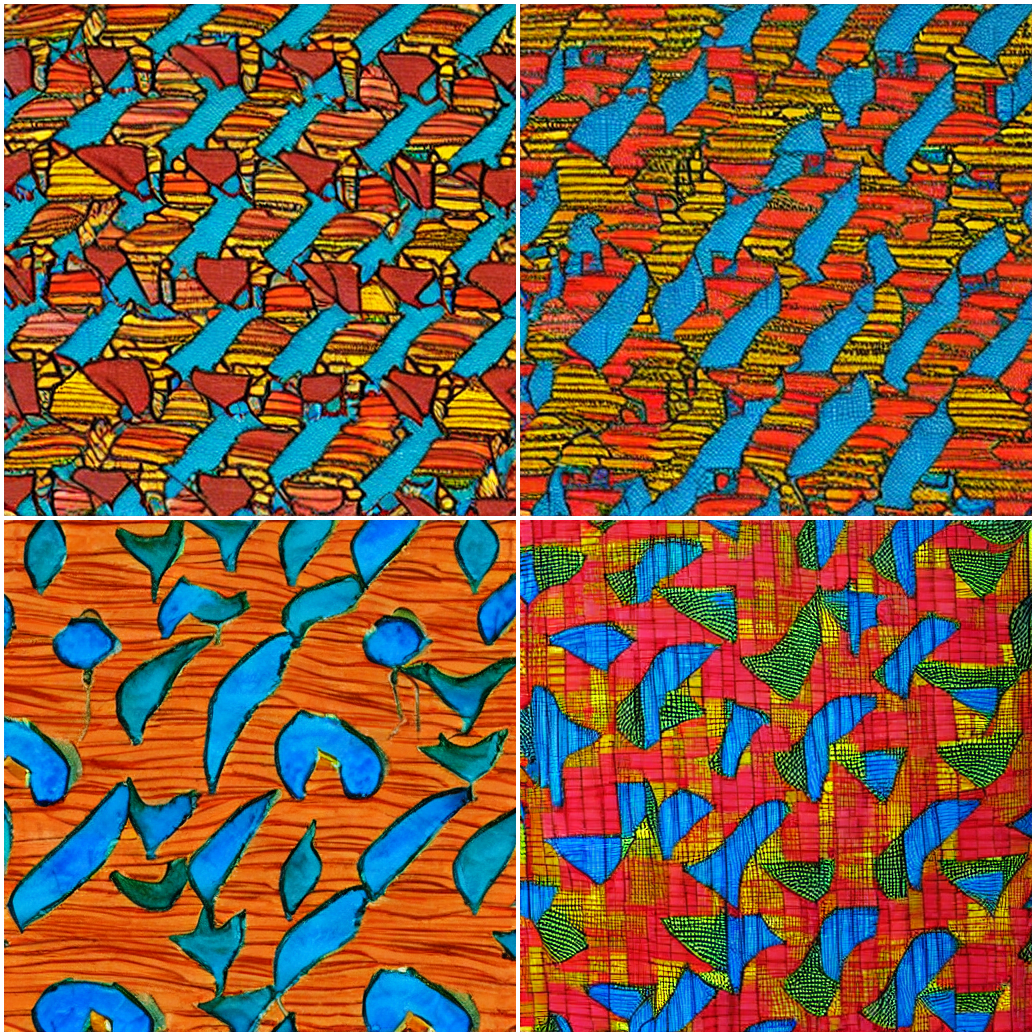
After training both approaches, compare outputs:
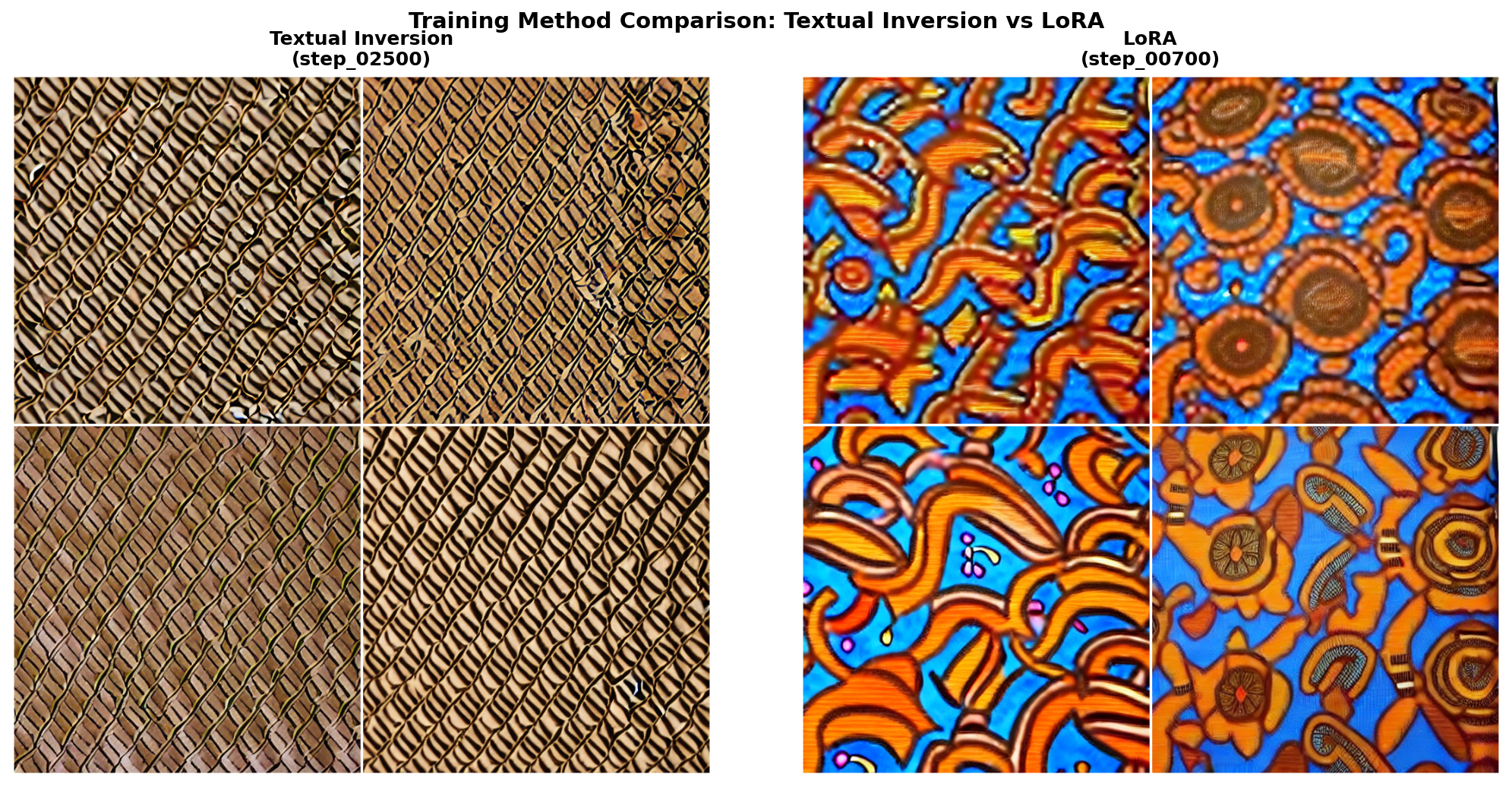
TI vs LoRA generation quality comparison.#
Step 5: Generate Morphing Animation
After training, showcase your model’s capabilities with a smooth morphing animation:
Download generate_dreambooth_morph.py
python generate_dreambooth_morph.py
This script creates a 15-second GIF demonstrating smooth transitions through the learned fabric latent space using SLERP (Spherical Linear Interpolation).
Animation Parameters:
Duration: 15 seconds
FPS: 30 (450 total frames)
Keyframes: 5 distinct patterns with SLERP interpolation
Seamless loop: Cycles back to starting pattern smoothly
Generation time: ~10-20 minutes on RTX GPU, 1-2 hours on CPU.
Troubleshooting Common Issues
Issue 1: “CUDA out of memory”
Solution: Reduce batch size or enable gradient checkpointing:
TRAIN_BATCH_SIZE = 1  # Reduce from 2
GRADIENT_ACCUMULATION = 4  # Increase to compensate
Issue 2: Generated images don’t match training style
Possible causes: Insufficient training steps, wrong prompts, or overfitting.
Solution:
Increase training steps (try 1000-1500 for LoRA)
Ensure instance prompt contains the subject token
Check that training images are diverse but consistent in style
Issue 3: Model generates generic fabrics (not your specific style)
Solution: Your subject token may not have learned properly.
Verify the placeholder token is in the prompt (“sks”)
Check that LoRA weights loaded correctly
Try increasing training steps
Issue 4: Training is very slow (>2 hours)
Solution: Ensure GPU is being used:
import torch
print(f"CUDA available: {torch.cuda.is_available()}")
print(f"Device: {torch.cuda.get_device_name(0)}")
Summary#
Key Takeaways
DreamBooth personalizes diffusion models: Bind a unique token to your specific visual concept
Same architecture as DDPM: U-Net, noise prediction, but with text conditioning
Prior preservation prevents forgetting: Mix subject images with class images during training
LoRA is efficient: Train attention adapters in 15-30 minutes, share 10-50 MB files
Text conditioning enables creativity: Generate your subject in any context you can describe
Common Pitfalls
Warning
Missing subject token: Always include “sks” (or your chosen token) in generation prompts
Overfitting: Too many training steps on few images causes repetitive outputs
Wrong guidance scale: Start with 7.5, adjust based on results
Forgetting prior preservation: Without it, the model loses general capabilities
Comparison: DDPM vs DreamBooth
Aspect |
DDPM (Module 12.3.1) |
DreamBooth (This Module) |
|---|---|---|
Generation |
Random samples from learned distribution |
Specific subject in any context |
Control |
None (unconditional) |
Full text-based control |
Training data |
1000+ images |
5-10 images |
Training time |
4-6 hours |
15-60 minutes |
Output |
Generic fabric patterns |
YOUR fabric in infinite contexts |
References#
Ruiz, N., Li, Y., Jampani, V., Pritch, Y., Rubinstein, M., & Aberman, K. (2022). DreamBooth: Fine Tuning Text-to-Image Diffusion Models for Subject-Driven Generation. arXiv preprint. https://arxiv.org/abs/2208.12242
Gal, R., Alaluf, Y., Atzmon, Y., Patashnik, O., Bermano, A. H., Chechik, G., & Cohen-Or, D. (2022). An Image is Worth One Word: Personalizing Text-to-Image Generation using Textual Inversion. arXiv preprint. https://arxiv.org/abs/2208.01618
Hu, E. J., Shen, Y., Wallis, P., Allen-Zhu, Z., Li, Y., Wang, S., … & Chen, W. (2021). LoRA: Low-Rank Adaptation of Large Language Models. arXiv preprint. https://arxiv.org/abs/2106.09685
Ho, J., Jain, A., & Abbeel, P. (2020). Denoising Diffusion Probabilistic Models. Advances in Neural Information Processing Systems, 33, 6840-6851. https://arxiv.org/abs/2006.11239
Rombach, R., Blattmann, A., Lorenz, D., Esser, P., & Ommer, B. (2022). High-Resolution Image Synthesis with Latent Diffusion Models. IEEE/CVF Conference on Computer Vision and Pattern Recognition (CVPR). https://arxiv.org/abs/2112.10752
Hugging Face. (2024). DreamBooth Training with Diffusers. Hugging Face Documentation. https://huggingface.co/docs/diffusers/training/dreambooth
Radford, A., Kim, J. W., Hallacy, C., Ramesh, A., Goh, G., Agarwal, S., … & Sutskever, I. (2021). Learning Transferable Visual Models From Natural Language Supervision. International Conference on Machine Learning, 8748-8763. https://arxiv.org/abs/2103.00020
Ho, J., & Salimans, T. (2022). Classifier-Free Diffusion Guidance. arXiv preprint. https://arxiv.org/abs/2207.12598
Vaswani, A., et al. (2017). Attention Is All You Need. Advances in Neural Information Processing Systems, 30. https://arxiv.org/abs/1706.03762
Picton, J. (1995). The Art of African Textiles: Technology, Tradition and Lurex. Lund Humphries Publishers.