
8.3.1 - Star Wars Titles#
Have you ever wondered how you could produce an animation like in the Star Wars main titles?
Of course this can be done in Python:
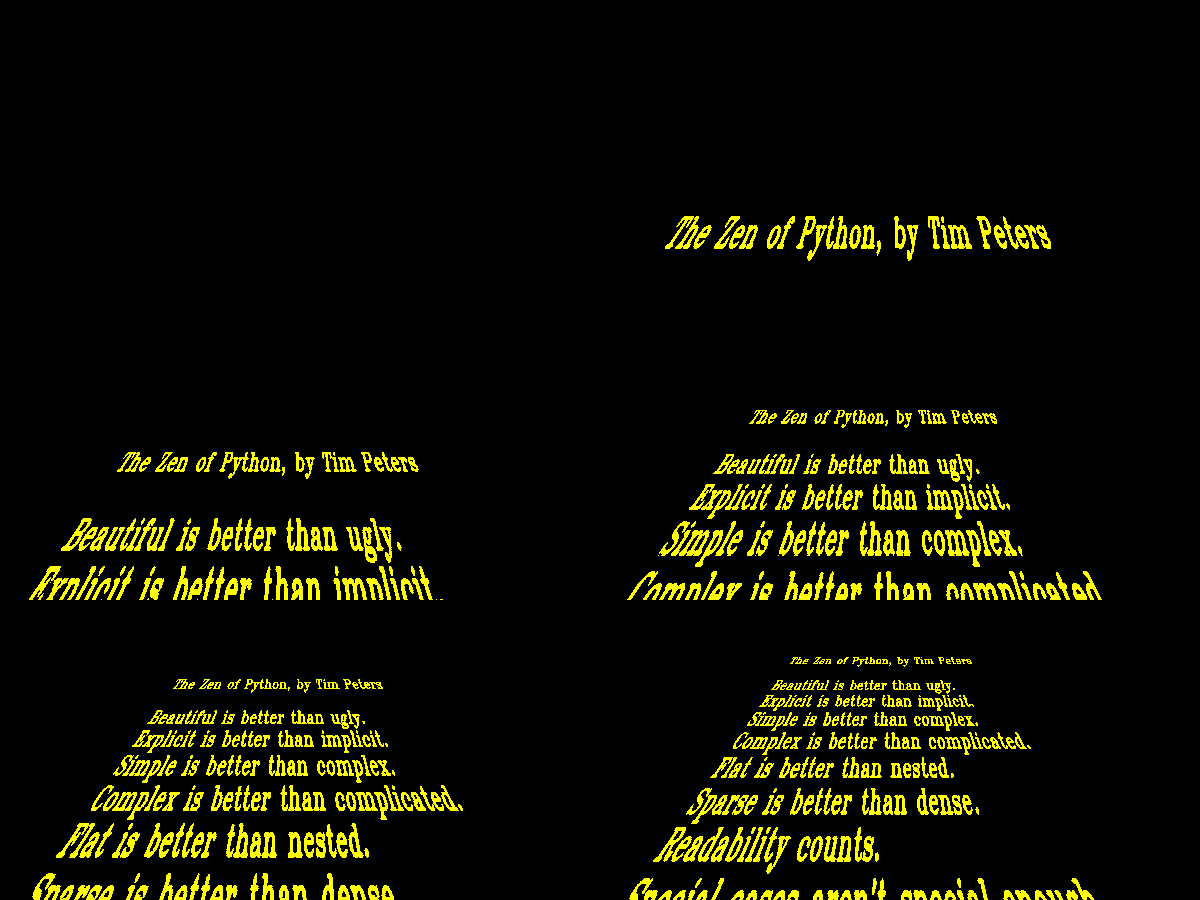
How it works:#
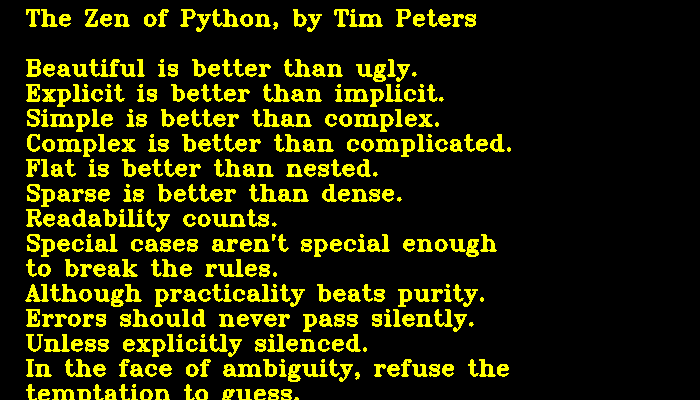
The text uses the “Zen of Python” (obtained via import this and
adding a few line breaks). First, a plain image of the text is created.
In the script, OpenCV is used, but you can do the same with any image of
your choice, as long as the image is sufficiently long.
The main challenge is to calculate the perspective. For every pixel (x, y) on the screen, you want to know what is the closest pixel (x0, y0) on the text image. The equations to calculate those are:
where
y is a float in the range of 0..1.
x, x0 and y0 are absolute pixel positions
c is a constant for the distance of the observer. It defines how “steep” the trapezoid will be
In practice you need to do some scaling of these numbers to center the animation on the screen.
There is probably a more efficient way to calculate the perspective (using more linear algebra). But I found this solution from scratch on a piece of paper and made it work fast enough.
Installation#
The script requires the OpenCV library for displaying the live animation. A second script in the repository uses imageio for exporting animated GIFs.
pip install opencv-python
pip install imageio
The code#
import numpy as np
import numpy as np
import cv2
import time
import imageio


XSIZE = 1400       # width of the screen
YSIZE = 800
TEXT_YSIZE = 3000  # length of the bitmap that is scrolled through

YELLOW = (0, 255, 255)
WHITE = (255, 255, 255)


def create_text_bitmap(fn, color=YELLOW, line_spacing=50):
    """
    returns a numpy array that contains the entire text from the file
    """
    text = open('message.txt')
    msg = np.zeros((TEXT_YSIZE, XSIZE, 3), np.uint8)
    for y, line in enumerate(text):
        cv2.putText(
            msg,
            line.strip(),
            (50, y * line_spacing + line_spacing),
            cv2.FONT_HERSHEY_TRIPLEX,
            fontScale=1.5,
            color=color,
            thickness=3
        )
    return msg


def prepare_index_arrays(c=300):
    """
    pre-calculate index arrays mapping each row
    from the text bitmap to the perspective.
    This greatly speeds up display.

    c : distance of the observer

    returns a dictionary of {y-position: numpy array}
    """
    indices = {}
    xx = np.arange(0, XSIZE)
    for yy in range(1, YSIZE):
        y = 1 - yy / YSIZE
        y0 = int(-y * c / (y - 1))

        x = xx - XSIZE // 2
        x0 = (x - (x * y) / (y - 1)).astype(int)
        x0 += 600

        idx = np.where((x0 >= 0) * (x0 < XSIZE))
        src = x0[idx]
        dest = xx[idx]
        indices[yy] = (y0, src, dest)
    return indices


msg = create_text_bitmap('message.txt', YELLOW)
indices = prepare_index_arrays()

ofs = 0  # vertical shift of the text
background = np.zeros((YSIZE, XSIZE, 3), np.uint8)
frames = []

while True:
    # display frames
    frame = background.copy()
    for yy in range(1, YSIZE):
        y0, src, dest = indices[yy]
        if 0 <= y0 < YSIZE:
            frame[yy][dest] = msg[-y0 + ofs][src]

    cv2.imshow('frame', frame)
    ofs += 1

    key = chr(cv2.waitKey(1) & 0xFF)
    if key == 'q':
        break

    # shrink frame for using it on the web
    #rgb = cv2.cvtColor(frame[200::2, 100:-100:2], cv2.COLOR_BGR2RGB)
    #frames.append(rgb)

    #time.sleep(0.03)

cv2.destroyAllWindows()
# imageio.mimsave('sw_animation.gif', frames, fps=20)