
2.1.3 - Drawing Circles#
- Duration:
20 minutes
- Level:
Beginner
Overview#
This exercise teaches you how to draw circles using distance calculations instead of plotting individual pixels. You will learn the mathematical definition of a circle: all points at a fixed distance from a center. By measuring how far each pixel is from a center point, we can decide which pixels belong inside the circle and color them.
Learning Objectives:
Understand how the Euclidean distance formula defines circles mathematically
Use
np.ogridto create efficient coordinate grids for vectorized calculationsApply boolean masking to select and color pixels inside a shape
Extend the technique to create composite patterns with multiple circles
Quick Start#
Let’s jump straight in and create a circle. Run this script to see the result:
 1import numpy as np
 2from PIL import Image
 3
 4# Configuration
 5CANVAS_SIZE = 512
 6CENTER_X, CENTER_Y = 256, 256
 7RADIUS = 150
 8CIRCLE_COLOR = [255, 128, 0]  # Orange
 9
10# Step 1: Create coordinate grids
11Y, X = np.ogrid[0:CANVAS_SIZE, 0:CANVAS_SIZE]
12
13# Step 2: Calculate squared distance from center
14square_distance = (X - CENTER_X) ** 2 + (Y - CENTER_Y) ** 2
15
16# Step 3: Create mask for pixels inside the circle
17inside_circle = square_distance < RADIUS ** 2
18
19# Step 4: Create canvas and apply color
20canvas = np.zeros((CANVAS_SIZE, CANVAS_SIZE, 3), dtype=np.uint8)
21canvas[inside_circle] = CIRCLE_COLOR
22
23# Step 5: Save
24Image.fromarray(canvas, mode='RGB').save('circle.png')
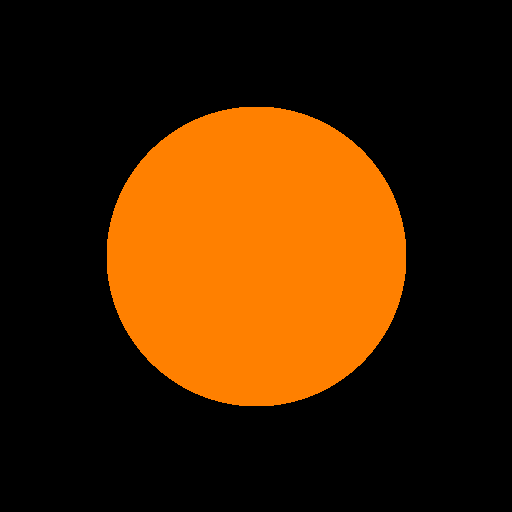
Output: A 150-pixel radius orange circle centered on a 512x512 canvas.#
Tip
What you just did: You used the Pythagorean theorem to determine which
pixels lie within 150 pixels of the center point (256, 256). Every pixel
where distance < radius gets colored orange. This vectorized approach
processes all 262,144 pixels simultaneously, making it far more efficient
than a nested loop checking each pixel individually.
Core Concepts#
Concept 1: The Distance Formula#
A circle is mathematically defined as all points at a fixed distance (the
radius) from a center point. For any pixel at position (x, y) and a
circle centered at (cx, cy), we calculate the Euclidean distance:
A pixel is inside the circle if d < radius.
Important
Optimization Trick: Computing square roots is computationally expensive. Since we only need to compare distances (not measure them), we can compare squared values instead:
(x - cx)² + (y - cy)² < radius²
This is mathematically equivalent but avoids the costly sqrt() operation
for every pixel. Early computer graphics used this optimization extensively
due to limited hardware [Bresenham1977].
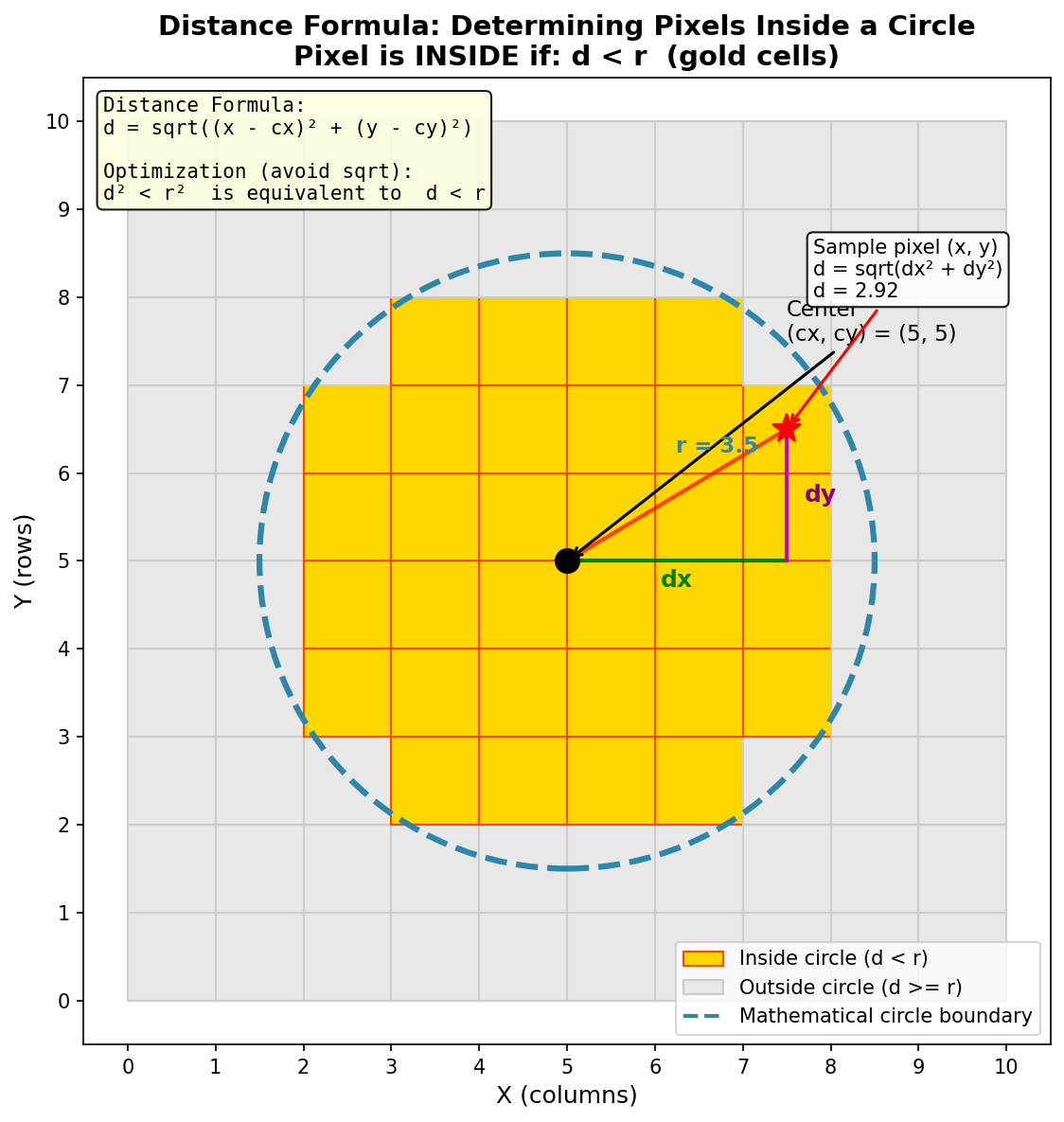
Visualizing the distance formula: Gold pixels are inside the circle (d < r), gray pixels are outside (d >= r). The dx and dy components combine via the Pythagorean theorem to give the total distance d. Diagram generated with Claude Code.#
Concept 2: Coordinate Grids with np.ogrid#
To calculate distances for all pixels efficiently, we need arrays containing
the X and Y coordinates of every pixel. NumPy’s np.ogrid creates these
“open grids” in a memory-efficient way [NumPyDocs2024]:
Y, X = np.ogrid[0:512, 0:512]
This creates two arrays:
Yis a column vector of shape(512, 1)containing values 0 to 511Xis a row vector of shape(1, 512)containing values 0 to 511
When used in arithmetic operations, NumPy’s broadcasting automatically expands these to full 512x512 arrays, computing the result for every pixel coordinate combination.
Note
Alternative approaches:
np.meshgridcreates full 2D arrays (uses more memory)np.indicescreates a 3D array of shape(2, height, width)
For most circle rendering, np.ogrid is the most memory-efficient choice.
Concept 3: Boolean Masking for Shape Selection#
The comparison square_distance < RADIUS ** 2 produces a boolean array
of the same shape as the canvas:
inside_circle = square_distance < RADIUS ** 2
# Result: 2D array of True/False values
This “mask” acts like a stencil. When we write:
canvas[inside_circle] = CIRCLE_COLOR
NumPy assigns CIRCLE_COLOR only to pixels where inside_circle is
True. This is called boolean indexing or fancy indexing and is
a powerful pattern for selective array modification [Harris2020].
Did You Know?
Boolean masking is the foundation for many image processing operations. Photo editing tools like “magic wand” selection use similar distance-based masks to select regions of similar color. In machine learning, masks are used to focus attention on specific parts of an image [Gonzalez2018].
Hands-On Exercises#
Exercise 1: Execute and Explore#
Run circle.py and observe the output.
Then answer these reflection questions:
Reflection Questions:
What happens if you change
RADIUSfrom 150 to 50? To 250?Why do we compare
square_distance < RADIUS ** 2instead of calculating the actual distance withsqrt()?How would you move the circle to the bottom-right corner of the canvas?
Exercise 2: Modify to Achieve Goals#
Starting with the Quick Start code, complete these modification tasks:
Task A: Create a small circle in the top-left quadrant
Radius: 50 pixels
Center: approximately (100, 100)
Color: Keep orange or choose your own
Task B: Create a blue circle
Change the color to blue (hint: blue is the third channel in RGB)
Task C: Create two circles side by side
Red circle on the left (center around x=150)
Green circle on the right (center around x=360)
Both with radius 100
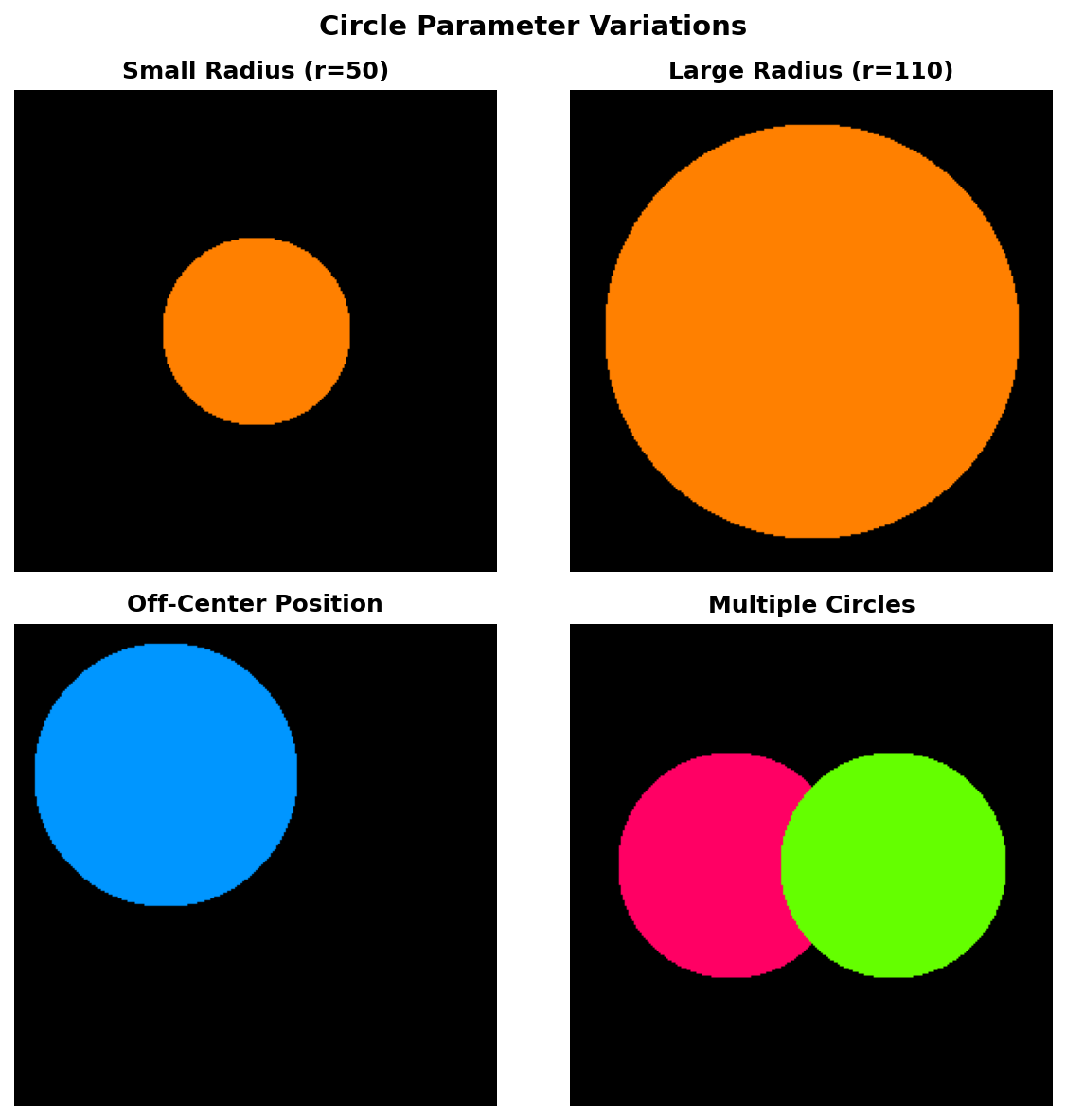
Examples of circle parameter variations: different radii, positions, and multiple circles on a single canvas.#
Exercise 3: Create from Scratch - Concentric Circles#
Create a bulls-eye pattern with 5 concentric circles using alternating red and white colors.
Requirements:
Canvas size: 512x512 pixels
Center: (256, 256)
5 circles with radii: 200, 160, 120, 80, 40 pixels
Alternating colors: red, white, red, white, red (outermost to innermost)
Starter code:
import numpy as np
from PIL import Image

CANVAS_SIZE = 512
CENTER_X, CENTER_Y = 256, 256

# Define radii (largest to smallest)
RADII = [200, 160, 120, 80, 40]

# Define colors (alternating red and white)
RED = [255, 0, 0]
WHITE = [255, 255, 255]
COLORS = [RED, WHITE, RED, WHITE, RED]

# Create coordinate grids
Y, X = np.ogrid[0:CANVAS_SIZE, 0:CANVAS_SIZE]
square_distance = (X - CENTER_X) ** 2 + (Y - CENTER_Y) ** 2

canvas = np.zeros((CANVAS_SIZE, CANVAS_SIZE, 3), dtype=np.uint8)

# TODO: Loop through RADII and COLORS to draw circles
# Hint: Draw from largest to smallest so smaller circles overlay larger ones

Image.fromarray(canvas, mode='RGB').save('concentric_circles.png')
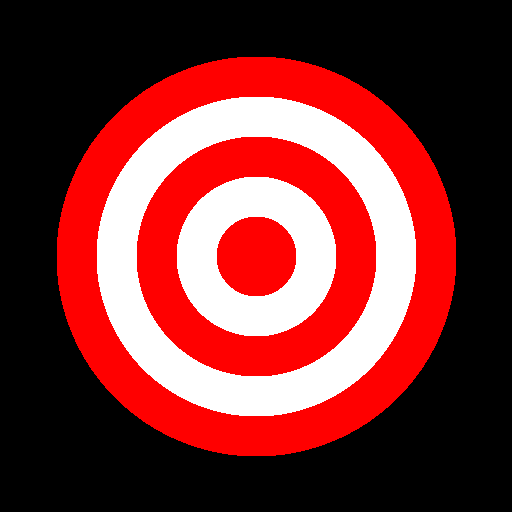
Expected output: A bulls-eye pattern with 5 concentric circles in alternating red and white colors.#
Challenge Extension#
Ready for a creative challenge? These patterns are inspired by techniques used in generative art [Pearson2011]. Try recreating one of these advanced patterns:
Option A: Four-Circle Flower
Create a flower-like pattern by drawing 4 overlapping circles positioned at the top, bottom, left, and right of a central point. Use a gradient color scheme (dark red to bright yellow).
Option B: Gradient Rings
Modify the concentric circles to use a smooth color gradient from the outer edge (dark) to the center (bright). Instead of just 5 colors, use a loop to create many thin rings with incrementally changing colors.
Option C: Off-Center Tunnel
Create a “tunnel” effect by drawing concentric circles where each successive circle has a slightly shifted center point, creating a perspective illusion.
Summary#
Key Takeaways:
Circles are distance-defined: A pixel is inside a circle if its distance from the center is less than the radius.
Squared distance optimization: Avoid expensive
sqrt()by comparing squared distances:d² < r²is equivalent tod < r.np.ogrid creates efficient coordinate grids that leverage NumPy’s broadcasting for vectorized calculations.
Boolean masking selects pixels: Comparison operations create True/False arrays that act as stencils for selective coloring.
Drawing order matters: For overlapping shapes, draw from back (largest) to front (smallest) to achieve proper layering.
This exercise follows cognitive load principles by introducing concepts incrementally: first distance, then grids, then masking [Paas2020].
Common Pitfalls:
Warning
Forgetting to square the radius: Using
square_dist < RADIUSinstead ofsquare_dist < RADIUS ** 2will create a tiny circle.Drawing circles in wrong order: For concentric patterns, always draw largest first; otherwise smaller circles get hidden.
Integer overflow: For very large canvases,
(X - CENTER)² + (Y - CENTER)²can overflow if usingnp.int32. Usenp.int64ornp.float64for safety.
References#
Harris, C. R., et al. (2020). Array programming with NumPy. Nature, 585(7825), 357-362. https://doi.org/10.1038/s41586-020-2649-2 [Foundational paper on NumPy’s array operations and broadcasting]
Gonzalez, R. C., & Woods, R. E. (2018). Digital Image Processing (4th ed.). Pearson. ISBN: 978-0-13-335672-4 [Standard reference for image processing algorithms including distance transforms]
Foley, J. D., van Dam, A., Feiner, S. K., & Hughes, J. F. (1990). Computer Graphics: Principles and Practice (2nd ed.). Addison-Wesley. [Classic text on computer graphics including circle rasterization algorithms]
Bresenham, J. E. (1977). A linear algorithm for incremental digital display of circular arcs. Communications of the ACM, 20(2), 100-106. [Historical context: Bresenham’s efficient circle algorithm for early computers]
NumPy Developers. (2024). numpy.ogrid documentation. NumPy Reference. Retrieved January 30, 2025, from https://numpy.org/doc/stable/reference/generated/numpy.ogrid.html
Pearson, M. (2011). Generative Art: A Practical Guide Using Processing. Manning Publications. ISBN: 978-1-935182-62-5 [Practical introduction to generative art techniques including shape rendering]
Paas, F., & van Merriënboer, J. J. G. (2020). Cognitive-load theory: Methods to manage working memory load in the learning of complex tasks. Current Directions in Psychological Science, 29(4), 394-398. [Pedagogical research supporting scaffolded learning approach]